



2026.10.15
Season 13 Update v2.3.0
-
SHARE
-

-

-

Thank you for playing Faaast Penguin.
Here are the contents changed during maintenance that occurred on 10/15/2026.
New World [FPX: Badlands] Unveiled!
The new world “FPX: Badlands” has been added.
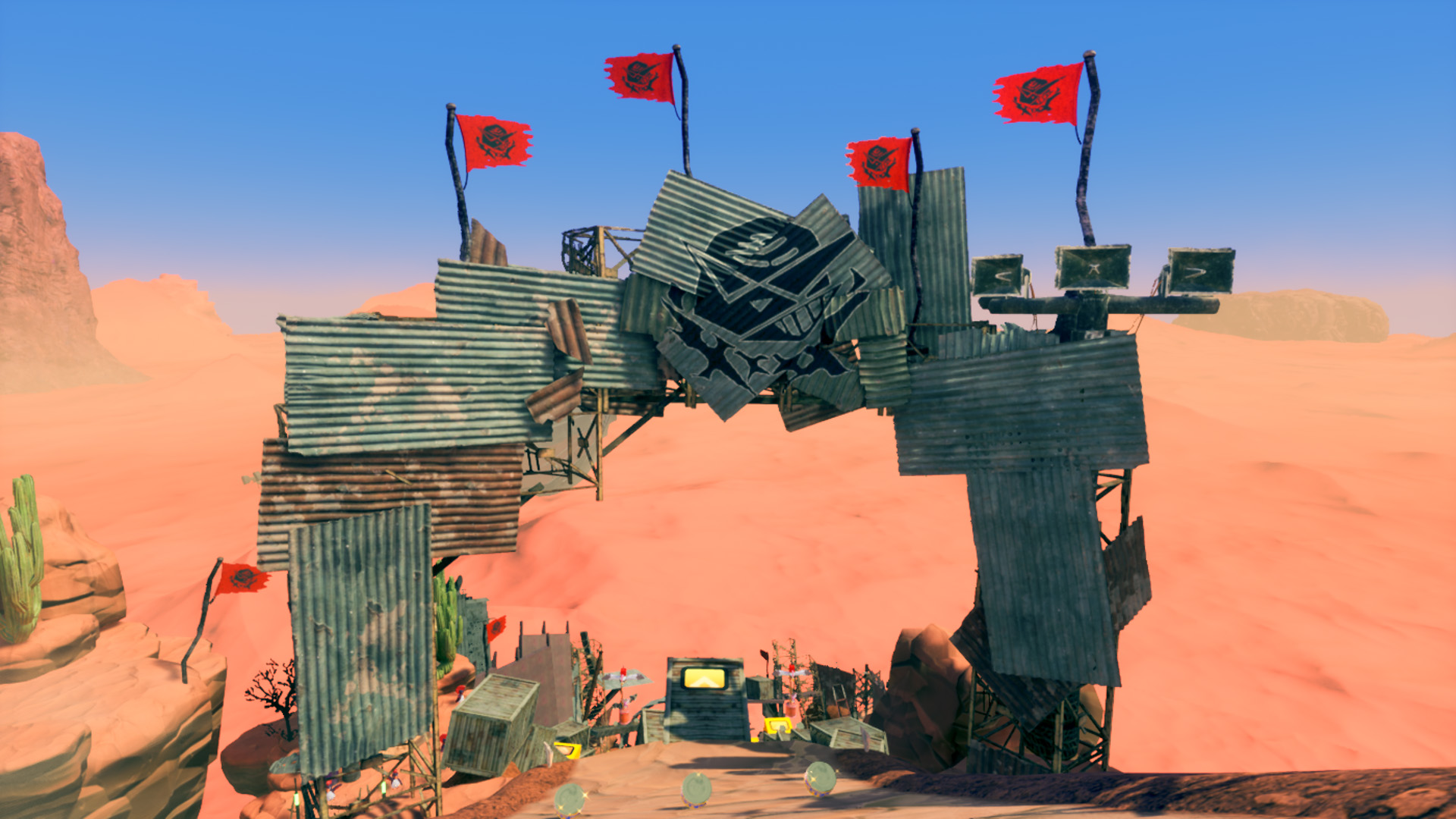
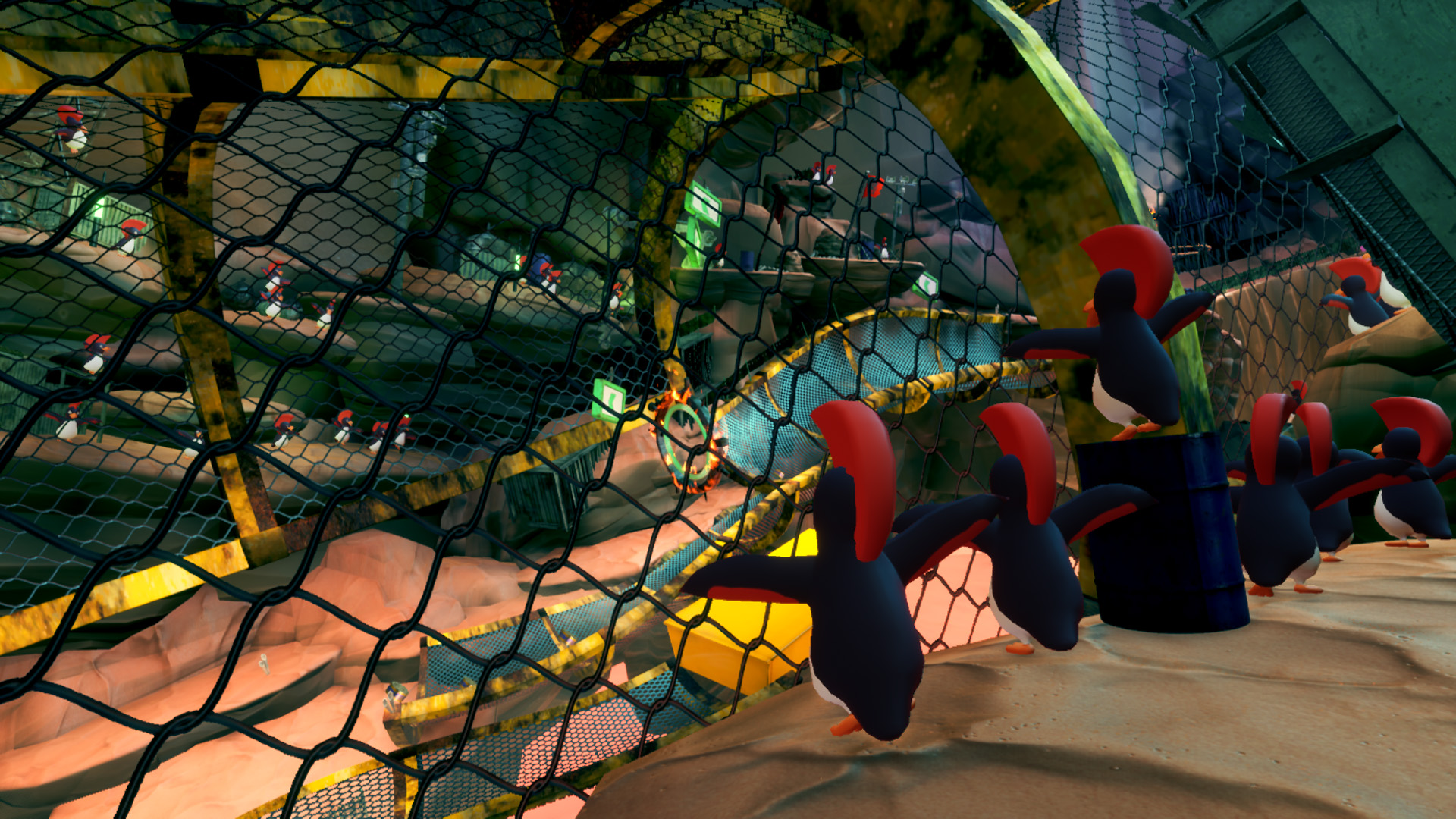
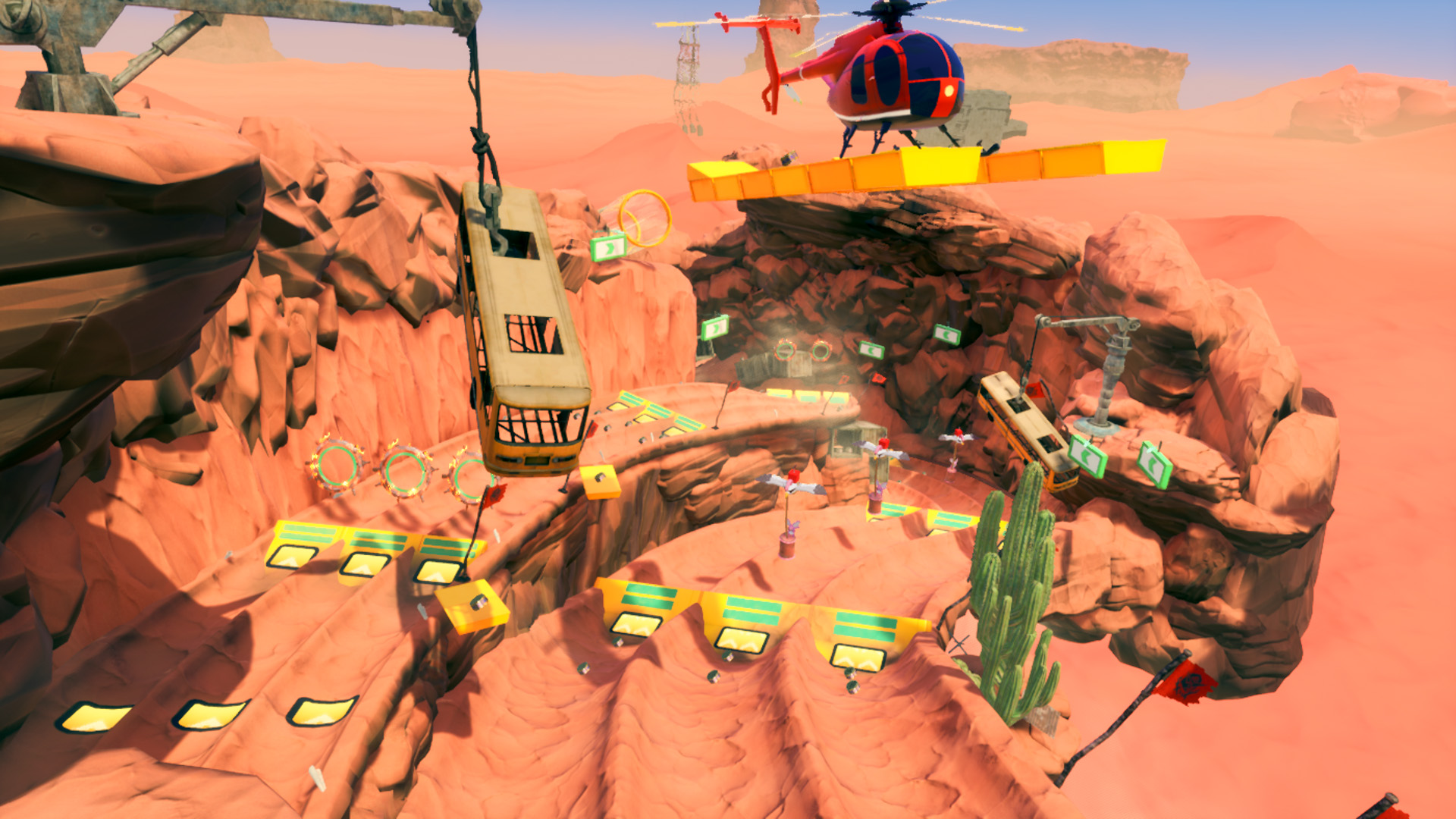
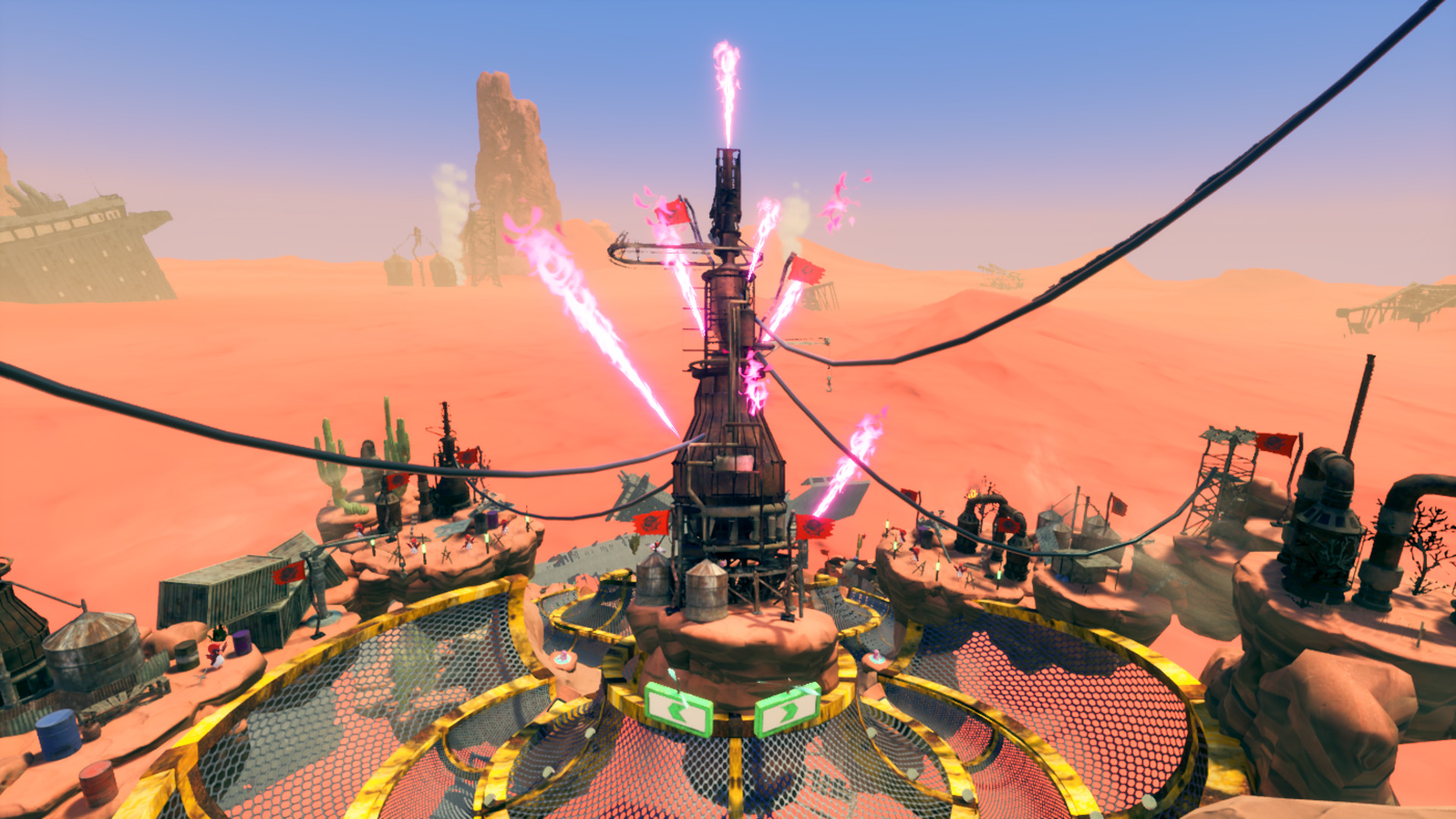
The gimmicks in “FPX: Badlands” feature the Trick action, a familiar feature from “FPX: Snowboarding.”
Your Run Rank increases based on the points earned through Tricks, increasing your base speed.
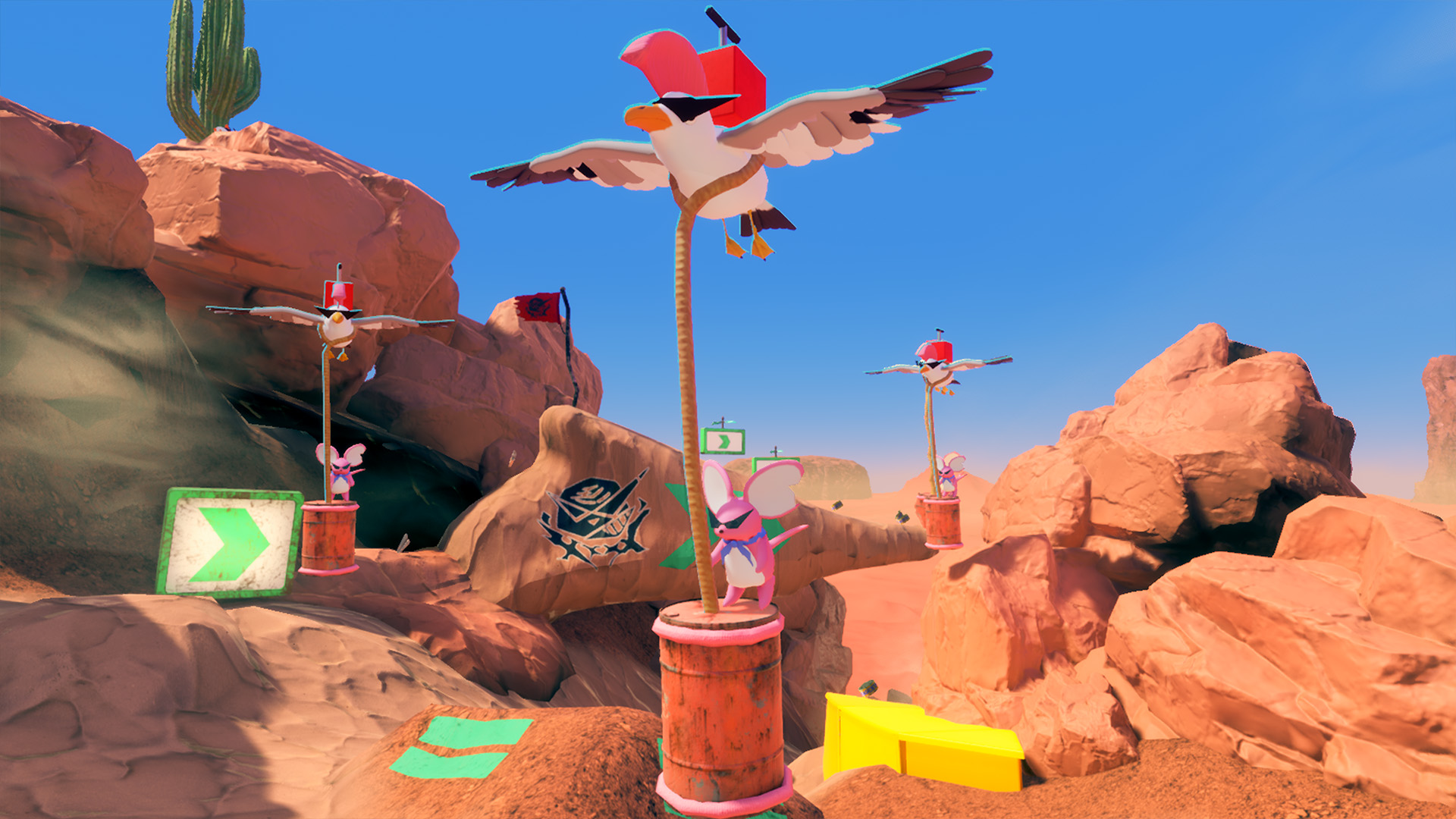 “Barrel Mouse” are flying all over this wasteland.
They carry a dangerous-looking switch on their backs.
Activate the switch with an Attack, and the barrel will soon explode.
Dodge the explosions while pulling off consecutive Tricks!
For more details on Season 13: https://faaast-penguin.com/en/news/13976/
Added “Favorites” Feature to the Customization Screen
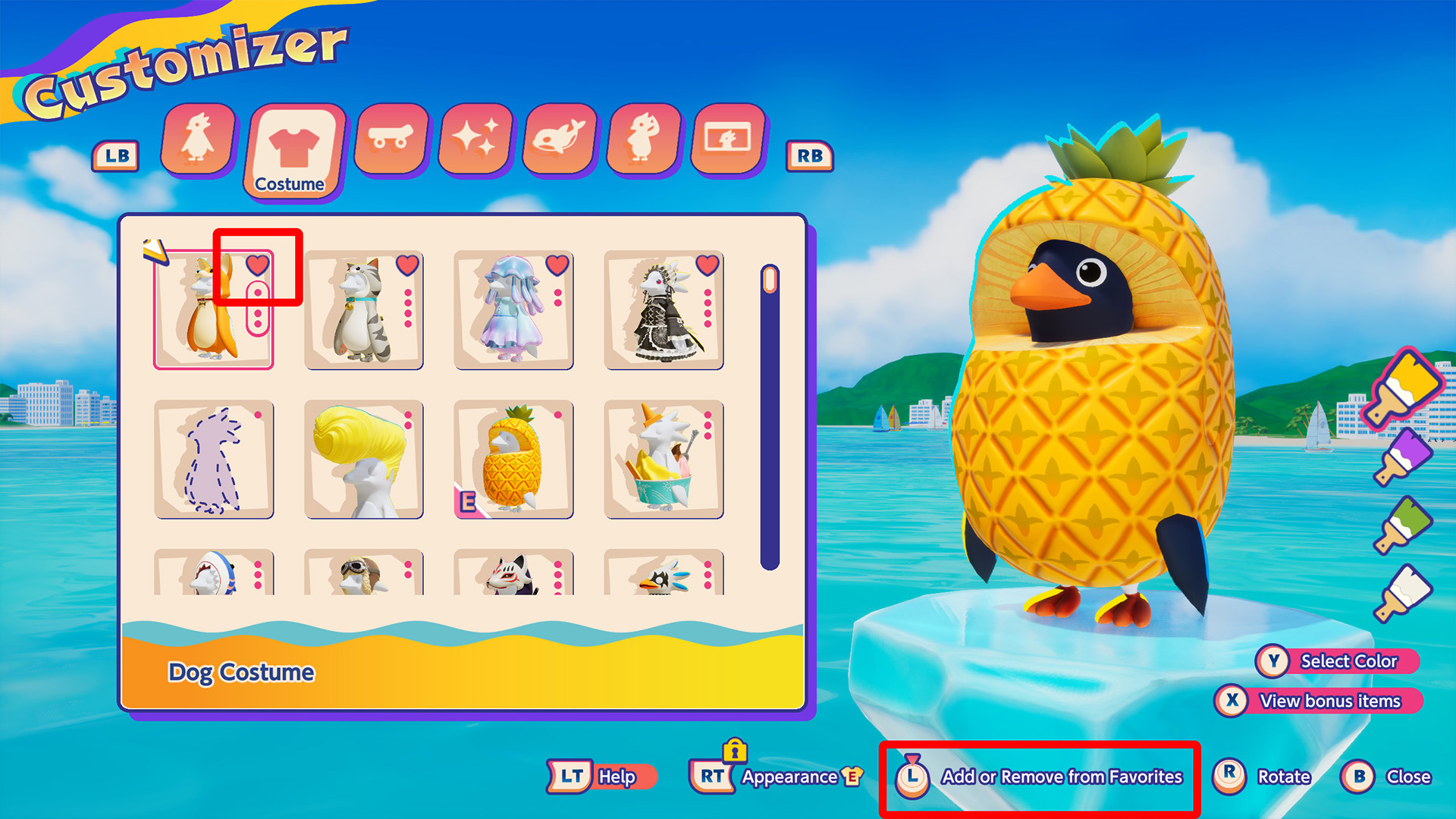 A “Favorites” feature has been added, allowing you to register frequently used or favorite items.
Items added to Favorites will be displayed at the top of each category list.
To Add or Remove from Favorites, select an item and use one of the following controls:
Switch Controller: Press the L Stick
PS5 Controller: L3 button
Xbox Controller: Press the Left Stick
Keyboard/Mouse: L.Shift / Click the heart icon
Items added to Favorites will display a heart icon.
The screen layout has also been adjusted with the addition of the “Favorites” feature.
You can now change settings during Race Mode activities
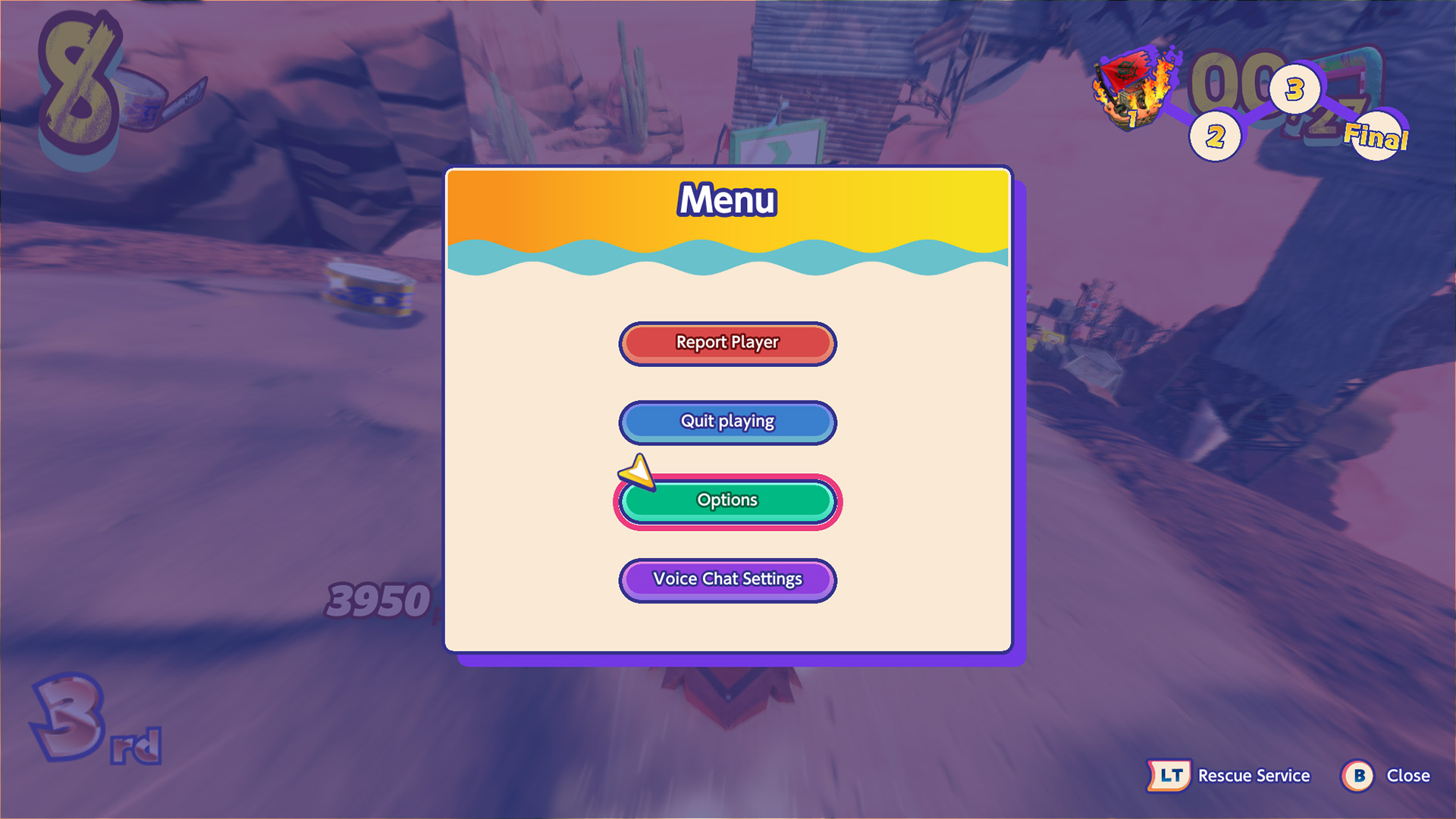
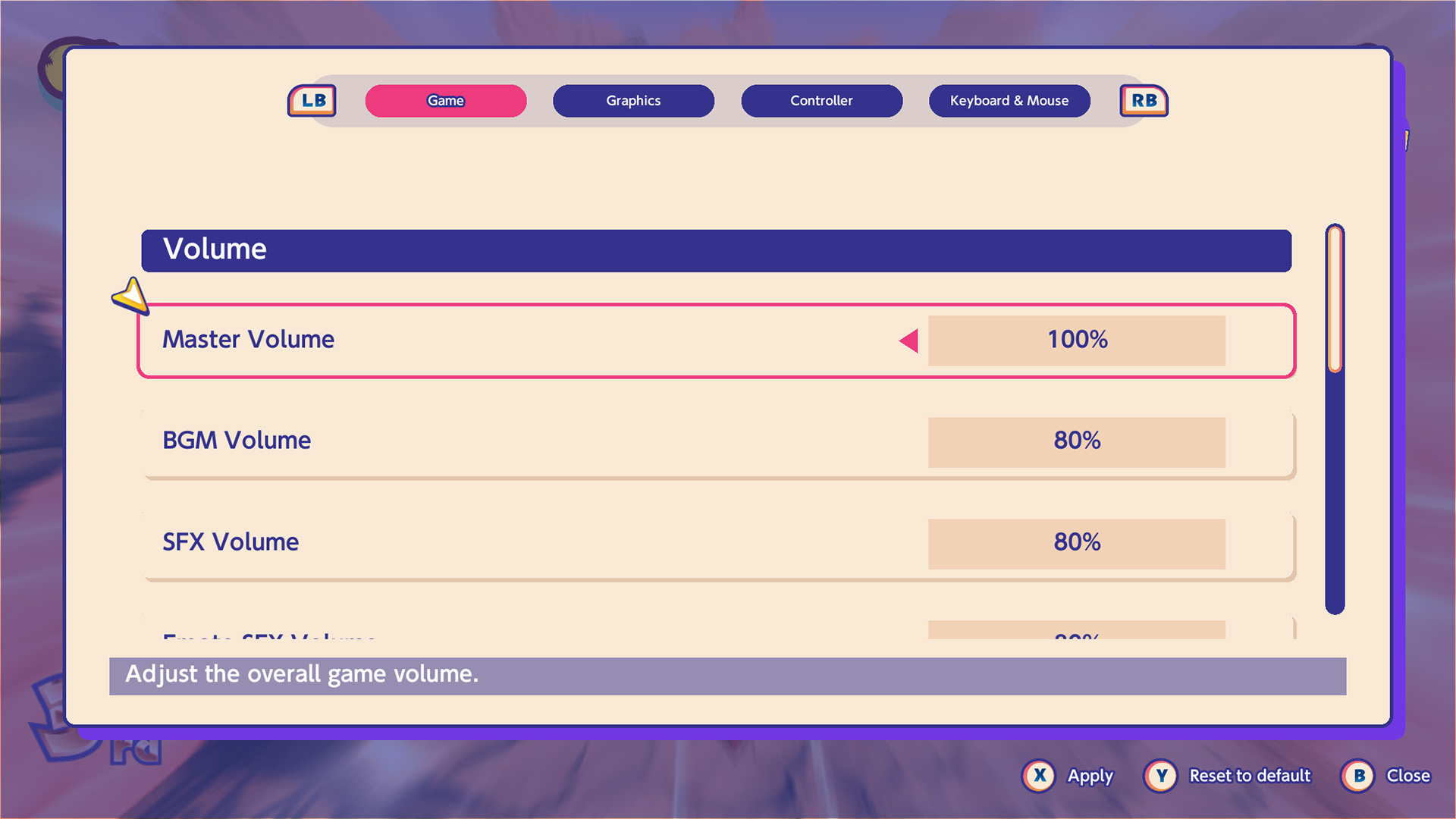
You can now open the Options screen from the menu during Race Mode activities and change various settings.
You can change certain settings, including volume, control sensitivity, graphics, and key configuration.
Added “Precompile Shaders” to the Options for the Steam / Epic Games Store Versions
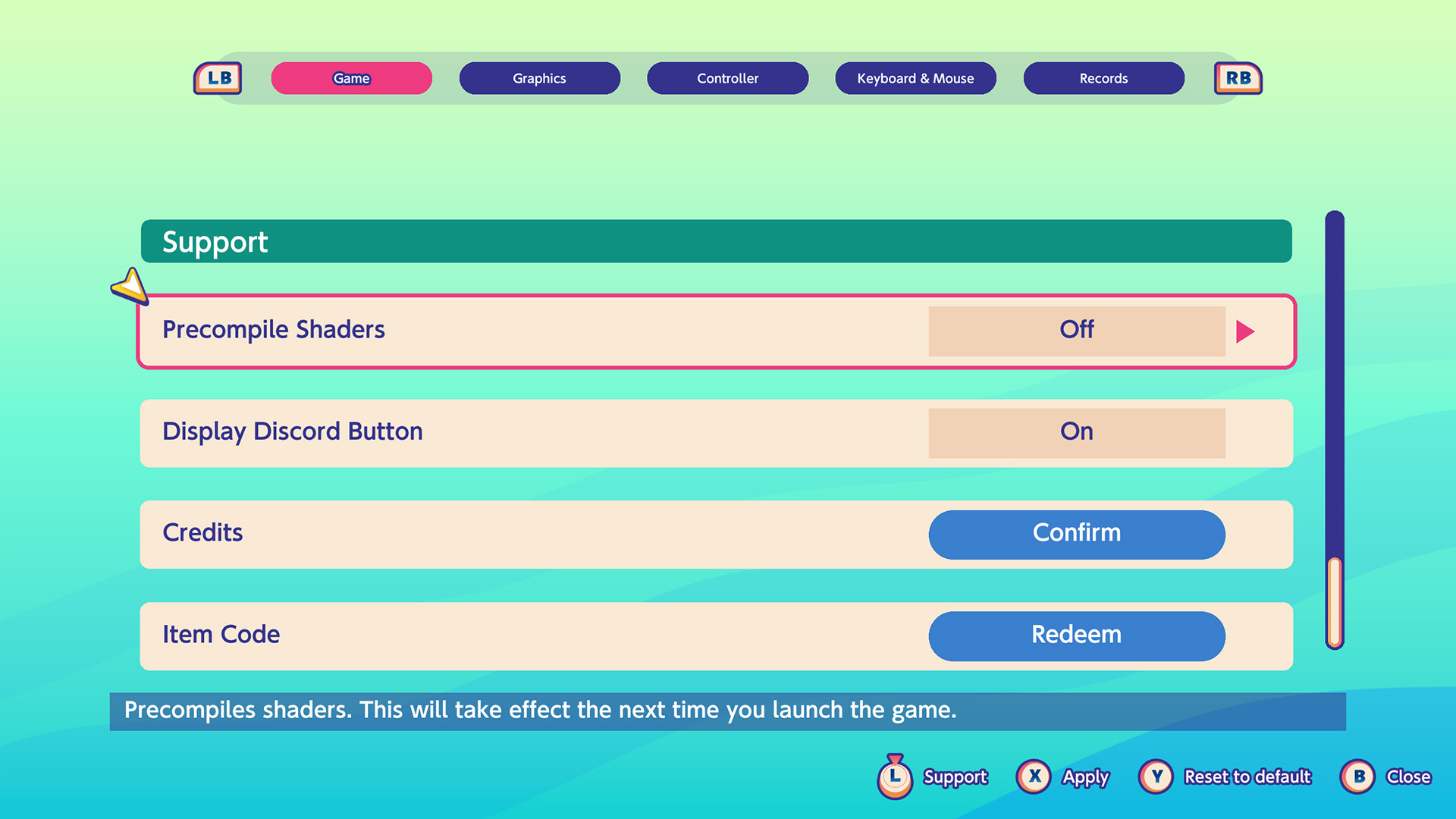 A “Precompile Shaders” setting has been added to the Options for the Steam / Epic Games Store versions.
This update processes data for courses you play and skins or effects you see for the first time when the game starts, reducing stuttering during gameplay.
This setting is turned off by default.
After turning it on in the Options, restart the game to apply the setting.
Added Past Season Pass Ownership Status to the Season Summary
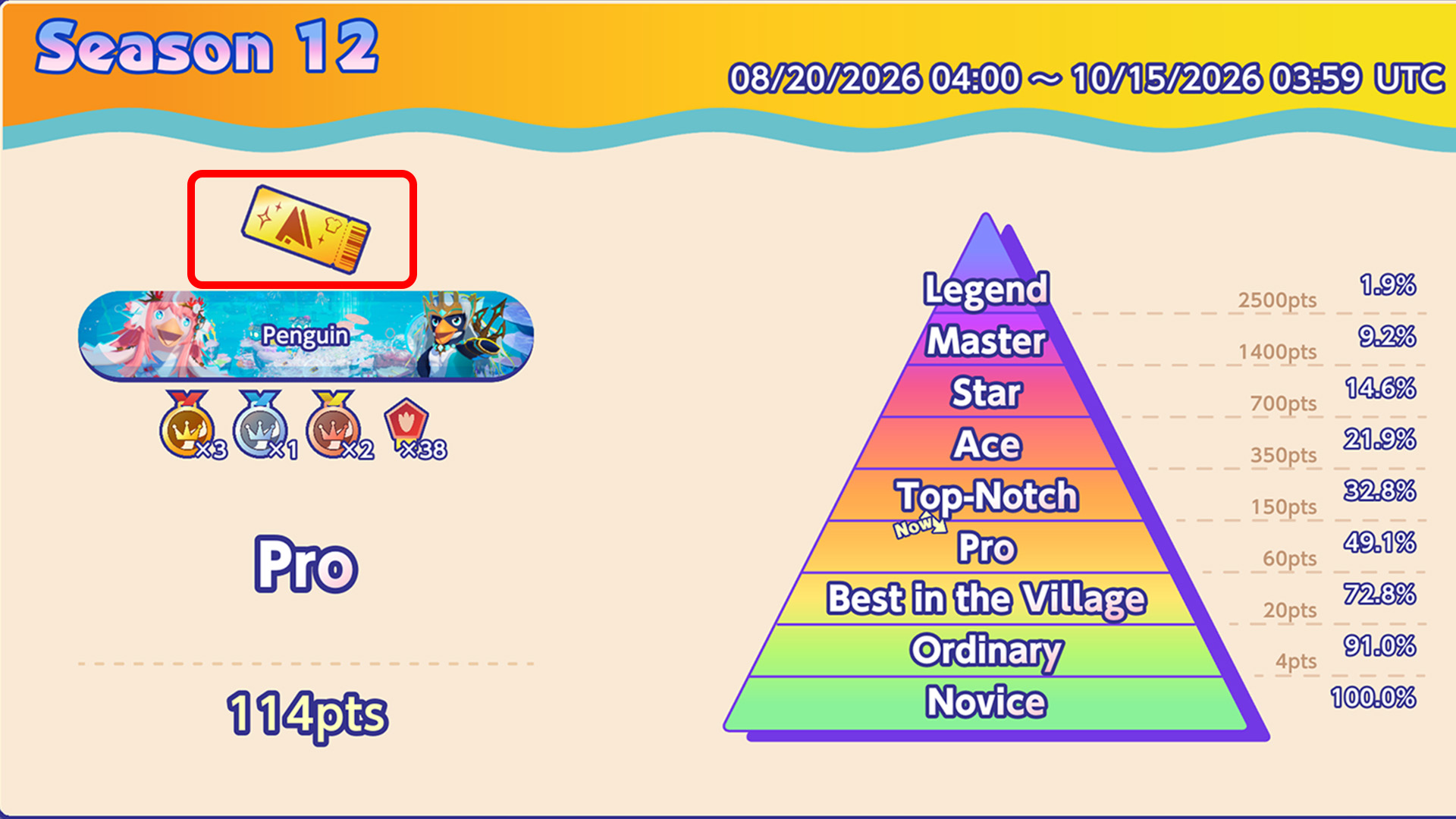
You can now check your Season Pass ownership status from past seasons in the Season Summary.
Depending on your Season Pass ownership status, the following tickets will be displayed on the Season Rank screen:
- No Season Pass: Normal Ticket
- Gold Pass: Gold Ticket
- Black Pass: Black Ticket
Adjustments to the “Trick” Action
To make trick actions more enjoyable for more players, adjustments will be made to make tricks easier to perform and easier to recover from after a failed attempt.
These adjustments will apply to both 『FPX: Snowboarding』 and 『FPX: Badlands』.
The adjustments are as follows:
- Reduce bounce-back against the slope of the course
- Extend the time window for successfully performing tricks
- Shorten the time spent rolling after failing a trick landing
- When a trick landing fails, a slight speed boost will now be applied based on the number of tricks performed, instead of having no change in speed
Limited-Time Display of the Results for “Let’s Get Ready for the Bonkers Festival!!”
During the DOZLE Private Academy Bonkers Festival!! collaboration event “Let’s Get Ready for the Bonkers Festival!!,” an issue occurred where the event progress was not displayed in-game.
With this update, you can now view the event’s final results and your individual performance from the Home screen in-game for a limited time after the event ends.
Display Period: After maintenance on 2026/10/15 – 2026/10/21 21:00 (PDT)
We apologize for the inconvenience caused to everyone who participated in the DOZLE Private Academy Bonkers Festival!! collaboration.
Newly Added
All Platforms
Race:
- Added 4 courses to the new world [FPX: Badlands]
- Added new gimmicks [Barrel Mouse]
- Added a limited-time display of the results for the “Let’s Get Ready for the Bonkers Festival!!” collaboration event with DOZLE Private Academy Bonkers Festival!!
- Added the “Favorites” feature, which allows you to change the display order of items in the Customization screen
- Added an Options screen to the menu that can be opened during Race Mode activities
- Added past Season Pass ownership status to the Season Summary
Steam / Epic Games Store Versions
General:
- Added the “Precompile Shaders” setting to the Settings screen.
Adjustments
All Platforms
Race:
- Reduced unintended bouncing in the wrong direction caused by slopes during the “Trick” action
- Adjusted the success detection window, rolling duration after failure, and speed calculation after failure for the “Trick” action
- Reduced instances of player position being rolled back (rollback)
Penguin Climbers:
- Adjusted the placement of nameplates during commemorative photos to match each player’s position.
Bug Fixes
All Platforms
General
- Fixed minor bugs
Race
- Fixed an issue in Italian Crunch Night Carnival “Through the Sky Fleet” where the displayed position during a race could differ from the actual position
- Fixed an issue in Aqua Wonder “Coral Canyon” where players could sometimes be launched outside the course by certain currents
- Fixed an issue in the Aqua Wonder “Temple of the Abyss” Course Mission “Attack: Master Seal!” where only the first player to attack it could complete the Course Mission
- Fixed an issue where emote sound effects could not be heard during results in Aqua Wonder.
Known Issues
https://faaast-penguin.com/en/news/948/
We thank you for your continued support of Faaast Penguin.