




2026.08.07
Record Your Season Runs! New Features “Record Board” and “Goal Time Display” Arrive!
-
SHARE
-

-

-

Starting in Season 12, the new features “Record Board” and “Goal Time Display” will be added.
Record your runs throughout the season, complete every course, and enjoy setting new personal bests!
Collect Postcards and Fill in Your Record Board!
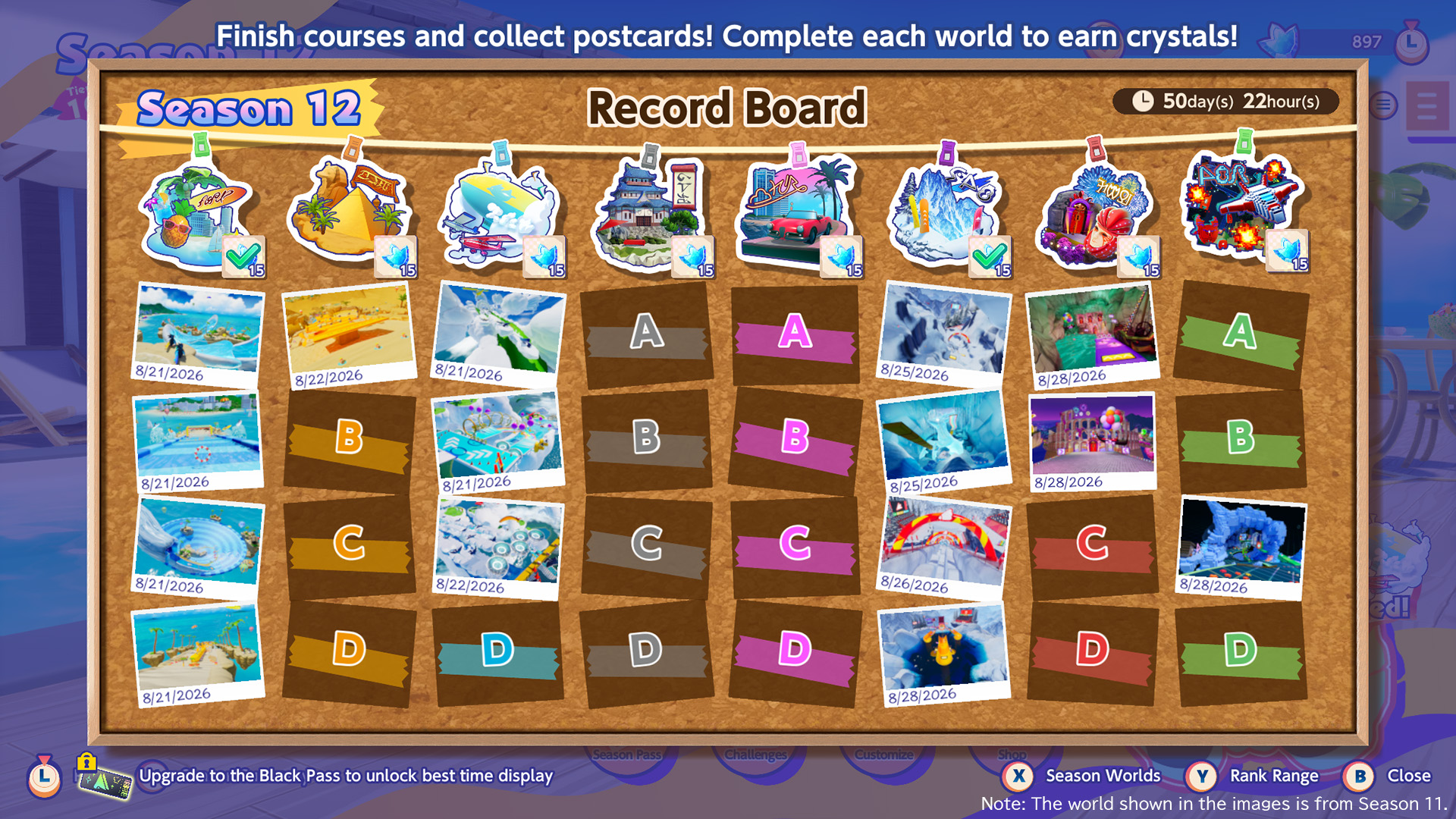 Note: The world shown in the images is from Season 11.
Finish a course to obtain its postcard.
Collect postcards from all four courses in a world to earn a completion reward!
Fill your Record Board with postcards as you aim to clear every course.
Challenge Your Personal Best with “Goal Time Display”!
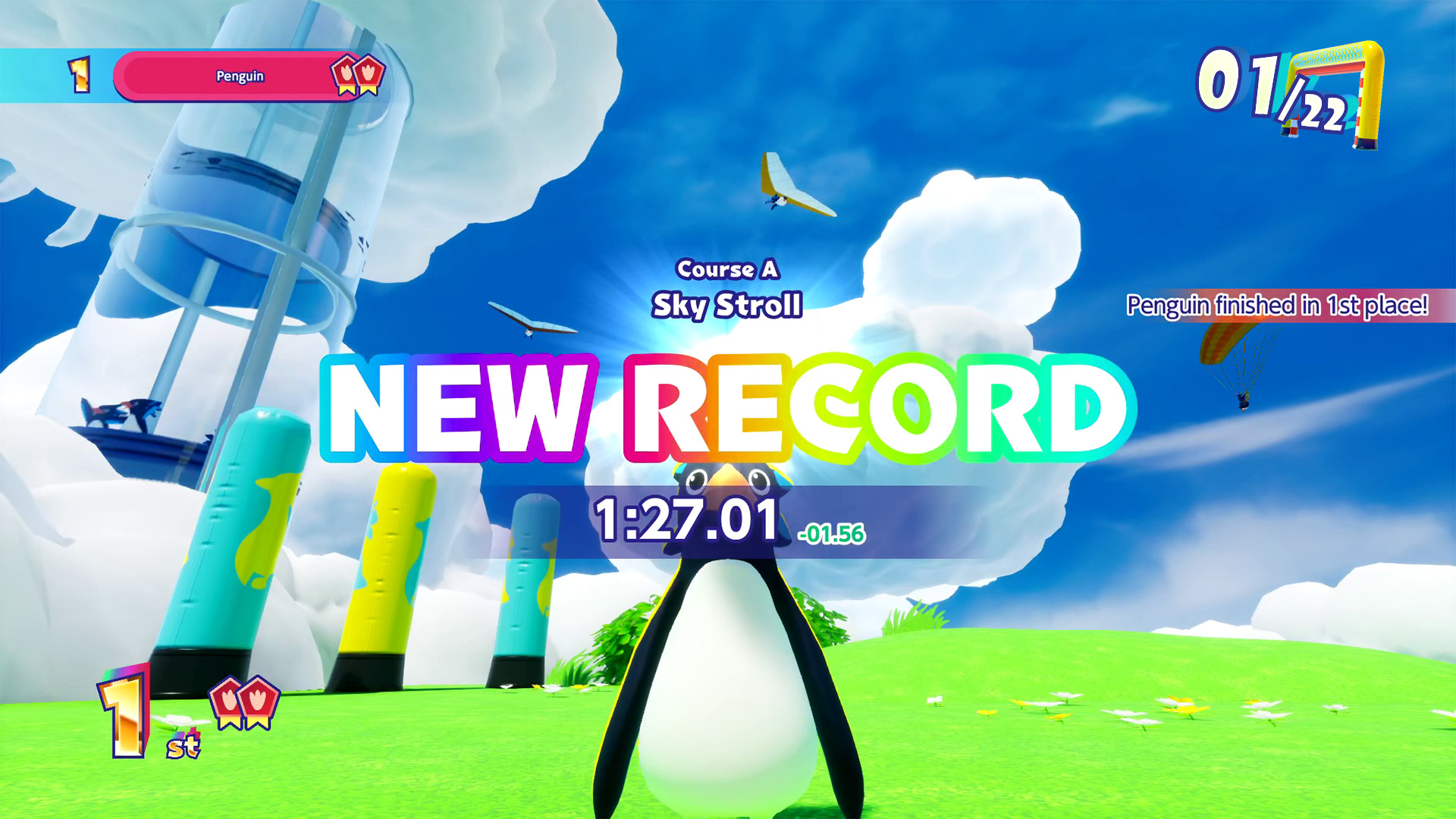 Starting in Season 12, your goal time will be displayed when you complete a course.
Your personal best is recorded separately for each season, and the difference between your goal time and your personal best will be displayed when you reach the goal.
Your personal best is also displayed while waiting for the starting gate to open before each race. In addition, during seasons in which you own the Black Pass, you can check it on the Record Board.
View Your Best Times immediately with the Black Pass!
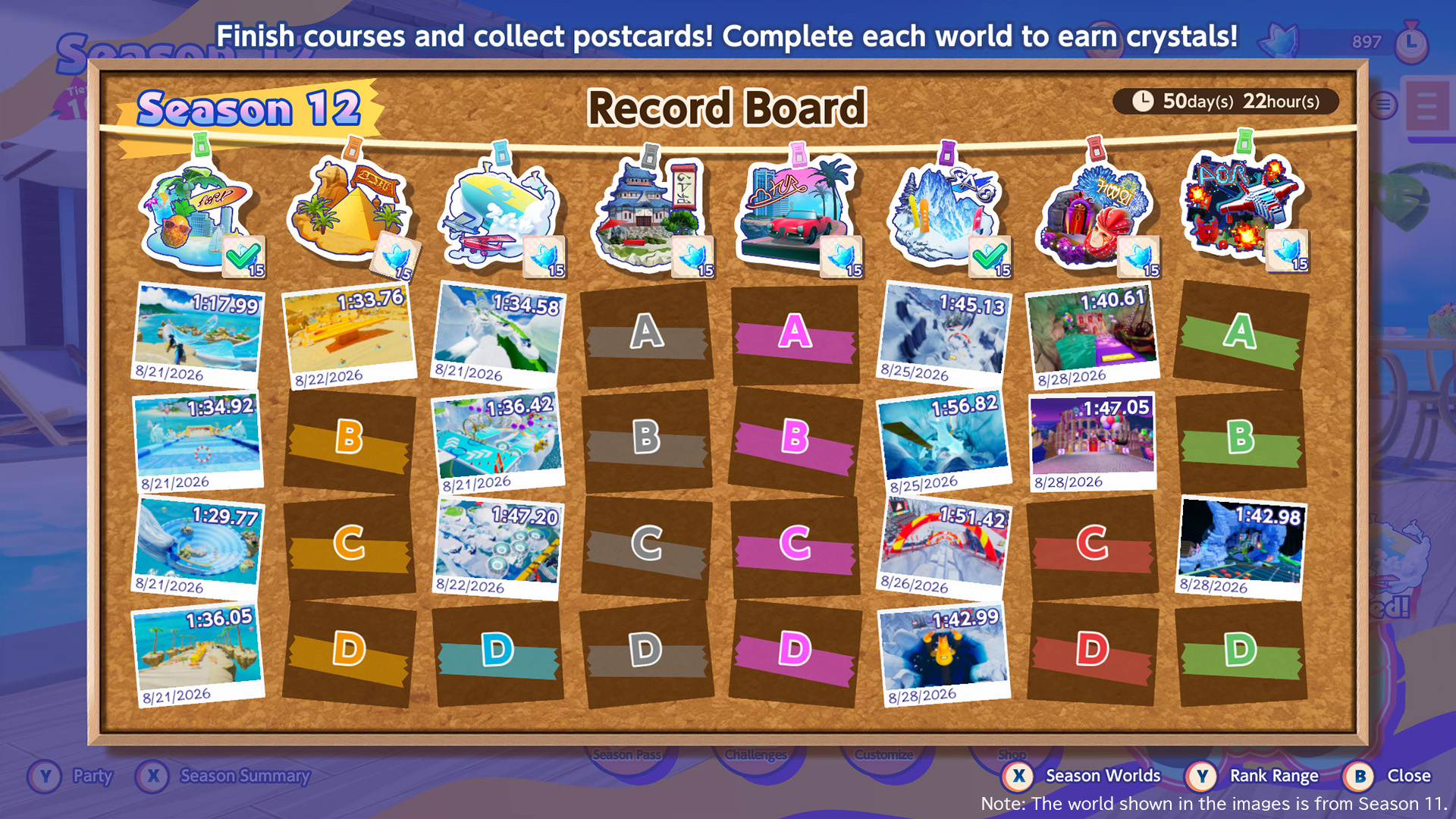 Upgrade your Season Pass to the Black Pass to view each course’s best time and the date it was updated on the Record Board.
Review your best times and keep aiming for even better records!
The Record Board can be viewed from Season Summary on the Home screen by switching from the existing Leaderboard. You can switch between the Leaderboard and the Record Board for each season.
Best times are displayed on the Record Board only while you own the Black Pass for that season.
In summary, the differences between owning and not owning the Black Pass are as follows.
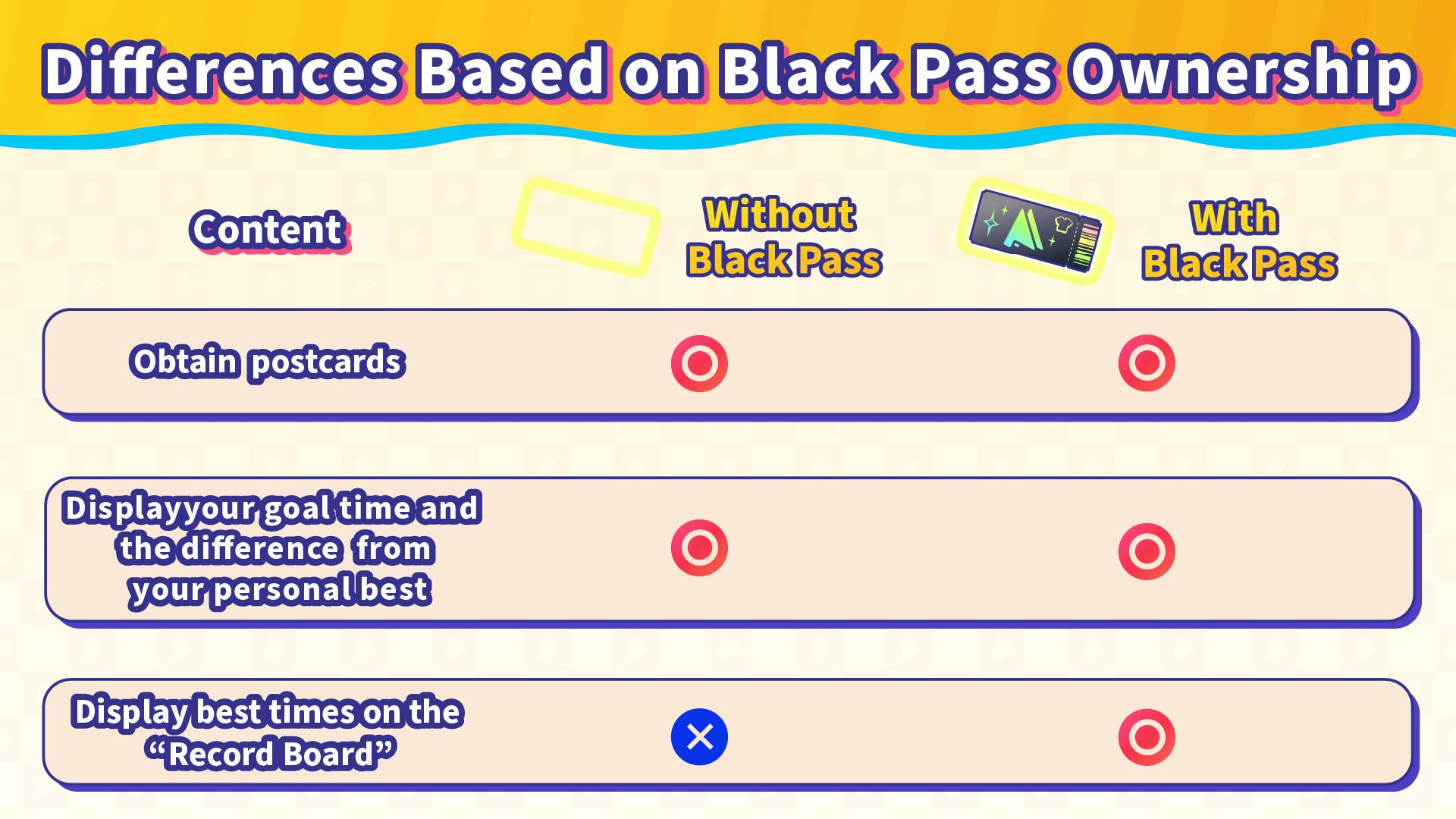
Review your best times and update dates with the Black Pass and keep striving for even better records!
Notes:
- Records on the Record Board and personal best times are reset for each season.
- The Record Board is not updated in Private Matches.
- If you quit during a race, the records for that tour will not be saved.
- Best times on the “Record Board” for past seasons can be viewed from Season Summary only if you own the Black Pass during those seasons, regardless of whether you currently own the Black Pass.
- We may provide a way in the future to add best time displays to Record Boards from past seasons in which you did not own the Black Pass. However, there are currently no plans confirmed.